MCSA 70-410 Cert Guide R2

MCSA 70-410 Cert Guide R2

Installing and Configuring Windows Server 2012

by Don Poulton, David Camardella

1056 pages· 2014· ISBN 9780133410488
About
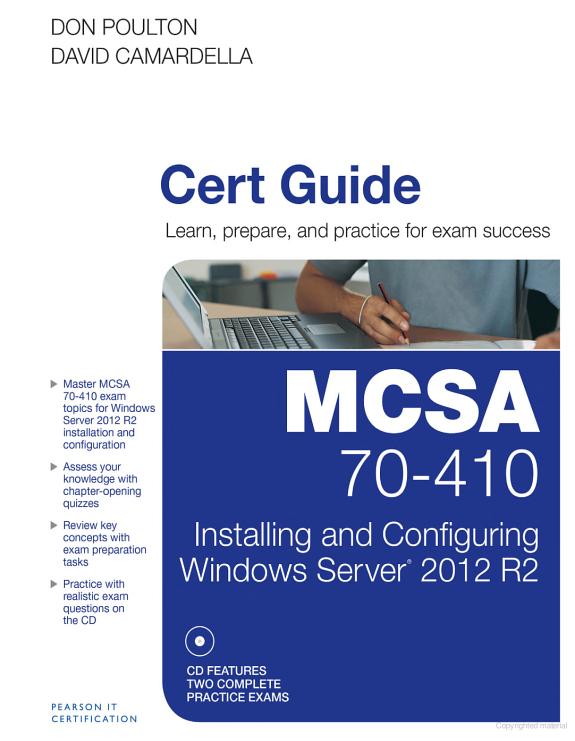
This is the eBook version of the print title. Note that the eBook does not provide access to the practice test software that accompanies the print book. Learn, prepare, and practice for MCSA 70-410 exam success with this Cert Guide from Pearson IT Certification, a leader in IT certification. Master MCSA 70-410 exam topics for Windows Server 2012 R2 installation and configuration Assess your knowledge with chapter-ending quizzes Review key concepts with exam preparation tasks MCSA 70-410 Cert Guide: Installing and Configuring Microsoft® Windows Server 2012R2 is a best-of-breed exam study guide. Best-selling authors and expert instructors Don Poulton and David Camardella share preparation hints and test-taking tips, helping you identify areas of weakness and improve both your conceptual knowledge and hands-on skills. Material is presented in a concise manner, focusing on increasing your understanding and retention of exam topics. The book presents you with an organized test preparation routine through the use of proven series elements and techniques. Exam topic lists make referencing easy. Chapter-ending Exam Preparation Tasks help you drill on key concepts you must know thoroughly. Review questions help you assess your knowledge, and a final preparation chapter guides you through tools and resources to help you craft your final study plan. Well-regarded for its level of detail, assessment features, and challenging review questions and exercises, this study guide helps you master the concepts and techniques that will enable you to succeed on the exam the first time. The study guide helps you master all the topics on the MCSA 70-410 exam, including the following: Installing and configuring Windows Server 2012 Configuring Windows Server 2012 R2 local storage Configuring access to files and shares Configuring and monitoring print and document services Configuring remote management of servers Configuring Hyper-V server virtualization Creating and configuring virtual machine storage and virtual networks Configuring IPv4 and IPv6 addressing Configuring Dynamic Host Configuration Protocol (DHCP) Deploying and configuring Dynamic Host Configuration Protocol (DHCP) Deploying and configuring Domain Name System (DNS) Installing Active Directory domain controllers Creating and managing Active Directory user and computer accounts Creating and managing Active Directory Groups and Organizational Units (OUs) Creating and applying Group Policy Objects Configuring security policies, application restrictions, and Windows Firewall Don Poulton (A+, Network+, Security+, MCSA, MCSE) is an independent consultant who has worked with computers since the days of 80-column punch cards. He has consulted extensively with training providers, preparing study materials for Windows technologies. He has written or contributed to several Que titles, including Security+ Lab Manual; MCSA/MCSE 70-299 Exam Cram 2; MCTS 70-620 Exam Prep; and MCSA 70-687 Cert Guide: Configuring Microsoft Windows 8.1. David Camardella, an expert on deploying and administering Microsoft technologies, has served as technical reviewer on several previous Pearson Microsoft certification titles.

Discuss MCSA 70-410 Cert Guide R2 with other readers

Join or start a book club for MCSA 70-410 Cert Guide R2 on Readfeed. Live chat, shared reading progress, and AI discussion questions — free to get started.

Frequently asked questions

How do I join a book club for MCSA 70-410 Cert Guide R2?

Sign up free on Readfeed, then browse public clubs or start your own club with MCSA 70-410 Cert Guide R2 as the current read. Invite friends with a share link and discuss together with live chat and AI discussion questions.

Can I discuss MCSA 70-410 Cert Guide R2 with other readers online?

Yes. Readfeed book clubs let you chat live, share progress, and join discussions about MCSA 70-410 Cert Guide R2 with readers worldwide — whether your club is virtual, in-person, or hybrid.

Is Readfeed free?

Yes. Creating an account and joining book clubs is free. Sign up to find readers who love the same books and start discussing today.