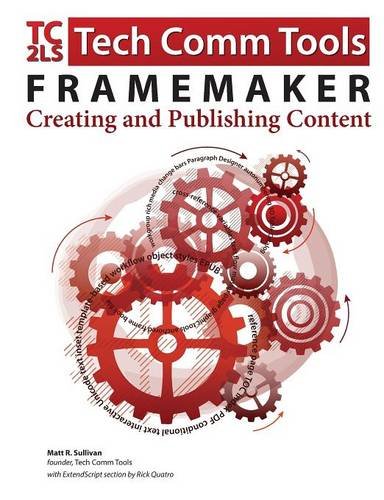
FrameMaker - Creating and publishing content: Learn to use, manage, and publish content with Adobe FrameMaker
by Matt R. Sullivan
Welcome to FrameMaker - Creating and Publishing Content. Adobe’s FrameMaker software is the industry leader in technical publishing, and the release of FrameMaker 2015 continues that tradition. FrameMaker specializes in long-document formatting and automates mundane but essential tasks, such as maintaining running headers and footers, and updating tables of contents. It offers an easy path to producing multiple output formats, including print, PDF, and mobile formats.
This book shows new users how to use unstructured FrameMaker, the most popular of the FrameMaker user interface options, to streamline their publishing workflows for greater efficiency and productivity.
I’ve provided new screenshots throughout, as well as coverage of the new features in FrameMaker 12 and FrameMaker 2015. There’s even something for the most knowledgeable Frame folks. There’s a separate list of the features added by version, and lots of best-practice details transposed from my own “shop-worn” copy.
One of the most significant changes since the FrameMaker 11 version of this book is the emergence of the mobile web. FrameMaker has kept pace with new technologies like HTML5, EPUB, and Kindle. This book gives you the detail you need for many of the available FrameMaker options for multichannel output.
In addition to writing about FrameMaker, I practice what we preach. I’ve trained, consulted and written about FrameMaker since the early versions. In fact, the book you are holding was itself produced in FrameMaker 2015.
This book is intended as user reference, not as a training guide. If you are quite new to FrameMaker, I suggest you visit training.techcommtools.com for free and paid FrameMaker courseware, as well as look at my schedule of FrameMaker training classes available online or in southern California.
If you would like to express interest in additional FrameMaker or Technical Communication Suite subjects, please visit www.framemaker11book.com.
Discuss FrameMaker - Creating and publishing content: Learn to use, manage, and publish content with Adobe FrameMaker with other readers
Join or start a book club for FrameMaker - Creating and publishing content: Learn to use, manage, and publish content with Adobe FrameMaker on Readfeed. Live chat, shared reading progress, and AI discussion questions — free to get started.
Frequently asked questions
How do I join a book club for FrameMaker - Creating and publishing content: Learn to use, manage, and publish content with Adobe FrameMaker?
Sign up free on Readfeed, then browse public clubs or start your own club with FrameMaker - Creating and publishing content: Learn to use, manage, and publish content with Adobe FrameMaker as the current read. Invite friends with a share link and discuss together with live chat and AI discussion questions.
Can I discuss FrameMaker - Creating and publishing content: Learn to use, manage, and publish content with Adobe FrameMaker with other readers online?
Yes. Readfeed book clubs let you chat live, share progress, and join discussions about FrameMaker - Creating and publishing content: Learn to use, manage, and publish content with Adobe FrameMaker with readers worldwide — whether your club is virtual, in-person, or hybrid.
Is Readfeed free?
Yes. Creating an account and joining book clubs is free. Sign up to find readers who love the same books and start discussing today.